Form Expert: Drilling Down Into Historical Performance
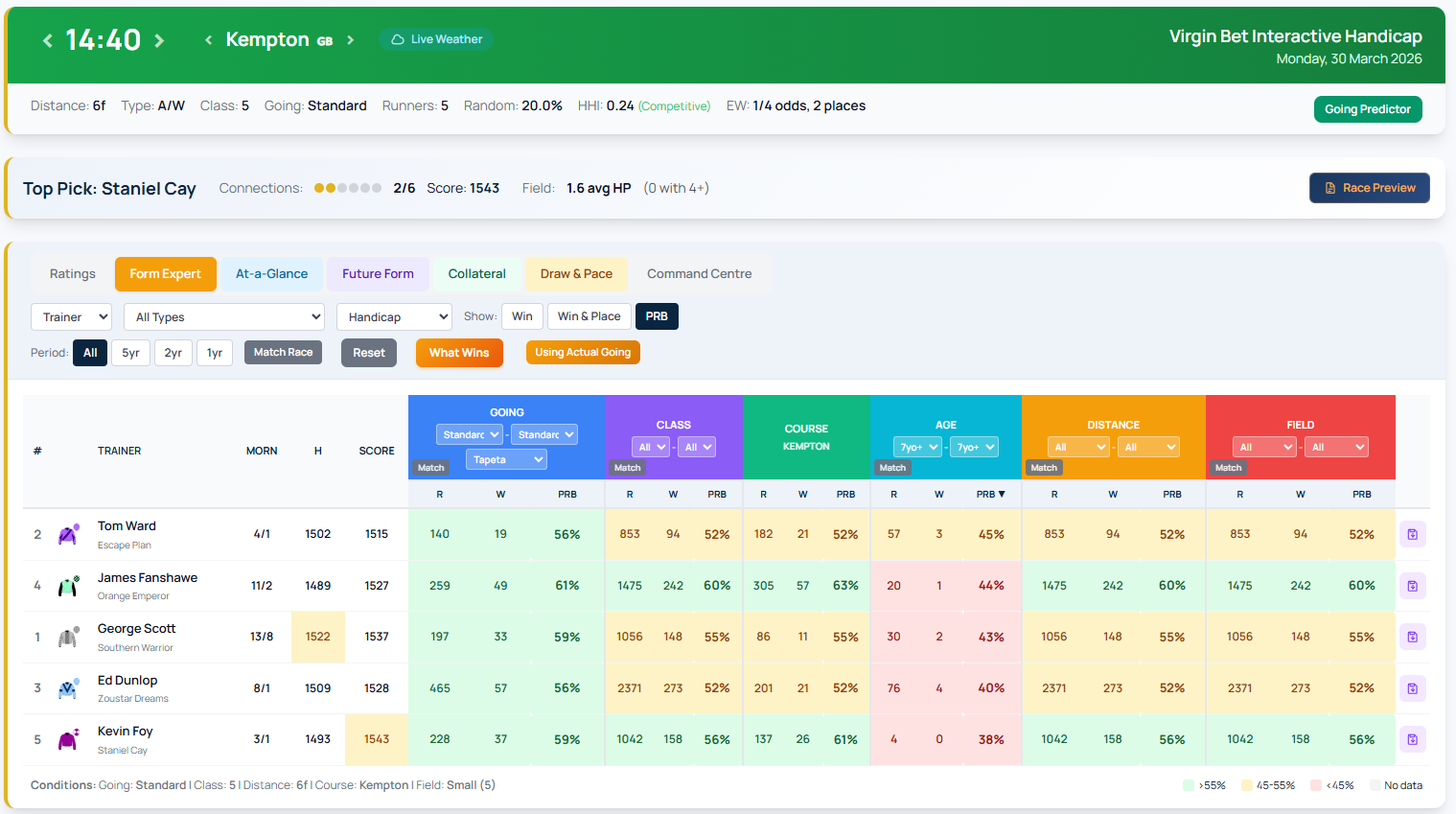
Form Expert is RaceMetrics' advanced analysis tool for breaking down historical performance data across seven different participant types. Rather than viewing ratings alone, Form Expert lets you examine how horses, trainers, jockeys, sires, dams, damsires and owners have performed under specific race conditions.
How to Access Form Expert
Open any racecard from the Racecards tab or hamburger menu. In the Runners section, click the Form Expert button to switch from the standard view. Click Ratings to return to the default racecard display.
Analysing Seven Participant Types
Use the participant dropdown to switch between different analysis lenses. Examine the horse's own form, or look at how a trainer performs under various conditions. Compare jockey records, sire offspring performance, dam offspring performance, damsire descendants, or owner runner breakdowns.
Filtering by Race Conditions
The control bar offers several filters to narrow your analysis. Filter by race type (All Types, Flat, Jumps, or specific surfaces), handicap status (All, Handicap only, or Non-Handicap only), and time period (All, 5yr, 2yr, 1yr).
Three Show Modes
Select your preferred statistic: Win shows win statistics only. Win & Place displays win and placed finishes (1st-4th). PRB shows Percentage of Rivals Beaten, displaying the average percentage of the field beaten.
Match Race for Quick Comparisons
The Match Race button automatically sets all column filters to match the current race conditions—Going, Class, Age, Distance, Field Size, Race Type and Handicap all adjust simultaneously. This stays active when navigating between races, making it ideal for scanning multiple meetings quickly.
Form Expert transforms raw historical data into actionable insights by letting you compare participants under the exact conditions they'll face.